Every day on Linkedin there are at least 20 posts on AI. The tools I need to learn, the workshops to enroll in, and the tool of the week. I read, skim, and sometimes deep dive because this feels like what I should be doing. Yet here I am exhausted.
Currently I have about 15+ logins for various tools, kits, and exclusive new content. Some I’ve used for 5 min and others 2 hours to come away with similar results in some cases. A bit of wonder, some frustration, monologing to myself about how this will actually save me time, and sometimes a bit empty. Where was the fun? Could I still make space for AI while understanding the ethics of AI and how it’s built? How do I learn this tool while grappling with its origins and staying truly curious about its potential to be a positive change agent? How could I adapt, as a designer, as a manager, and as a human to these new tools?
Well I had to start somewhere.
But first touch grass!
I was too tired to vibe code, sus’ of AI, concerned about the environment, worried about the communities its polluting, yet deeply curious and excited. In the nuance of my non-duality thinking and framework all of these can co-exist (and could be a whole other essay). I realized part of my exhaustion was being overwhelmed by too many options. So I stepped away a bit. I took a breath, touched grass and reminded myself that while I am working on a screen for 40+ hours a week, adding in more hours to the screen was not the immediate solution.
I asked myself why I wanted to try out all these AI tools. Was it just to keep up to say I tried it? Was it to have a strong opinion on different tools? Or was it because like when I first entered design I was curious to see what I could do with a tool? The fascination for me was how it allowed me to move an idea forward. To take a collage from print form to layering images in Photoshop.To make a page and slice it up in pieces to be coded into the interwebs.
I spent time away from my computer thinking to myself about what I wanted to understand and do with it. This allowed me to stop comparing my “progress” to others and to just be a student, to learn, be curious and to hold space for critical questions and thoughts.
You don’t know what you don’t know
I realized I needed to reduce the amount of content I was consuming around AI and narrow it down to some solid research. I quieted some of the noise by spending less time scrolling and more time in deeper knowledge seeking. I know that I learn in phases and for me the knowledge gathering was first. I wanted to know what I don’t know about AI. There was a lot – I spent time with these books and articles that helped me to shape my perspective on the history of AI, the human condition, the energy cost and the impacts of AI on the brain.
- AI Snake Oil: What Artificial Intelligence Can Do, What It Can’t, and How to Tell the Difference. By Arvind Narayanan and Sayash Kapoor
- We read the paper that forced Timnit Gebru out of Google. By Karen Hao
- Took a 5 hour AI Essential Course by Google (the irony is not lost on me LOL)
Next on my list is
- Next up is Empire of AI By Karen Hao
- Your Brain on ChatGPT: Accumulation of Cognitive Debt when Using an AI Assistant for Essay Writing Task sourced through this study1
Understanding the basics of AI a bit further gave me the confidence to make sense of the hallucinations, to be curious on how the LLM is trained and to start thinking more critically about the tool I was already using and dabbling with.
This also enabled me to understand how and why each tool felt like a different experience, that between Gemini and DeepSeek I would be able to apply these differently. It helped me to understand that Claude is programmed in a way that makes me feel more comfortable and has a better grasp of dialogue and how I work with words. It helped me to understand prompting so that I could use my time more effectively, especially when I ran out of credits in a tool on my first go round! This also helped me to understand that if I want to try vibe coding it needed to be in a way that worked for me.
Understanding how AI worked helped me to know that keeping my language simple yet precise was key. The AI can not read my mind and does not need me to say please and thank you when it is pulling extra energy when it has to read that word please. My politeness will not make it move any faster. Being able to work with it directly and understanding prompting would make all the difference as I jumped into vibe coding. I had to be precise with language and with my ideas and what I thought they could do. I realized vibe-coding could be fun and for me needed to have a goal.
Pick something, try it out for a little while
Time is limited, and I also knew that when I wanted to vibe code I didn’t have time to wait for more credits to load the next day. Sometimes I had only an hour to play around and needed to work efficiently. This comes with a cost though. With all of these tools there is a limit to how much you can do. With a free account, and even with a paid account there are still tiers to the access. I find that I do not always have the time to wait for more credits and found it helpful to pay for certain apps. So I committed for a few months – I paid for Claude and tested it out with x-code, which you can use for testing out an app. After testing out V0, Loveable, and Figma Make I found that Claude gave me the most versatility – while Figma Make does have more of a design instinct and default, which aligns with its origin story as well.
This enabled me to focus when I had that concentrated bit of time to experiment and play without having to wait for the reload. I would recommend playing with different options and committing to one for a few weeks or months. When I am ready to try a different one I will pivot again, but in the interim this helps me to build the muscle of practice rather than being pulled endlessly into a different app every week.
Build the basics
When I first started I set out to build an entire app. I sketched it out and started working on pages in Claude and found it unsatisfying. It felt like I was just making an app to do so yet there was no fun. I realized it’s because I had to go back to basics. Start with something that already exists and just remix slightly. It’s a tried and tested learning and teaching tool so I knew this is something I could do myself. Take something small and simple and try to build it. I set out to make a version of Tic-tac-toe that supplements the traditional x’s and o’s with bears and dinosaurs. That was it – it was simple enough yet I know there would be so much complexity in getting there.
And then the code crashed! It happens and I had to start over – I learned that as with any new tech it can glitch and have bugs as well. After that crash I realized how descriptive I had to be getting and verbalizing visual design in this level of detail. Previously, sketching it out would have been so much faster, but here I had to be hyper descriptive, down to corner radii. However what I learned in the process was the ability to articulate what worked, what looked good enough and found that my space between art direction, critic and building was closing in quickly. Could I have designed it quicker yes – but could I have coded it made it ready to play as quickly -no. The goal for me was not to make a perfect game, it was to make something that works. The goal was by the end of this could I make something that was fun and functional.
Make, play and let it go
I told myself I would time box my vibe coding, and found that I ended up spending more time than anticipated. It also reminds me that just like design you can spend hours refining the work and getting it to “perfect” – but in this case I am the client and and user and I need to know when it’s good enough for me to move on and learn something else or find a new application of it to level up. So I can say that 118 versions later I decided that this game was good enough for me right now.
I learned that vibe coding takes time and practice, and as I moved through the process there were a few key moments of reflection:
- With practice I became more effective with my language and what I was asking Claude to build.
- I realized some of the playful aspects were impractical when they were rendered because text became illegible and was moving across the screen
- AI understood some of WCAG compliance making it fun to create with a mostly accessible color palette
- The pixels end up being off somewhere – I spent an hour trying to center a strike through line and this required me to trouble shoot the code. So I decided this was MVP enough even though one of the strike throughs still needs to be adjusted.
Launch!
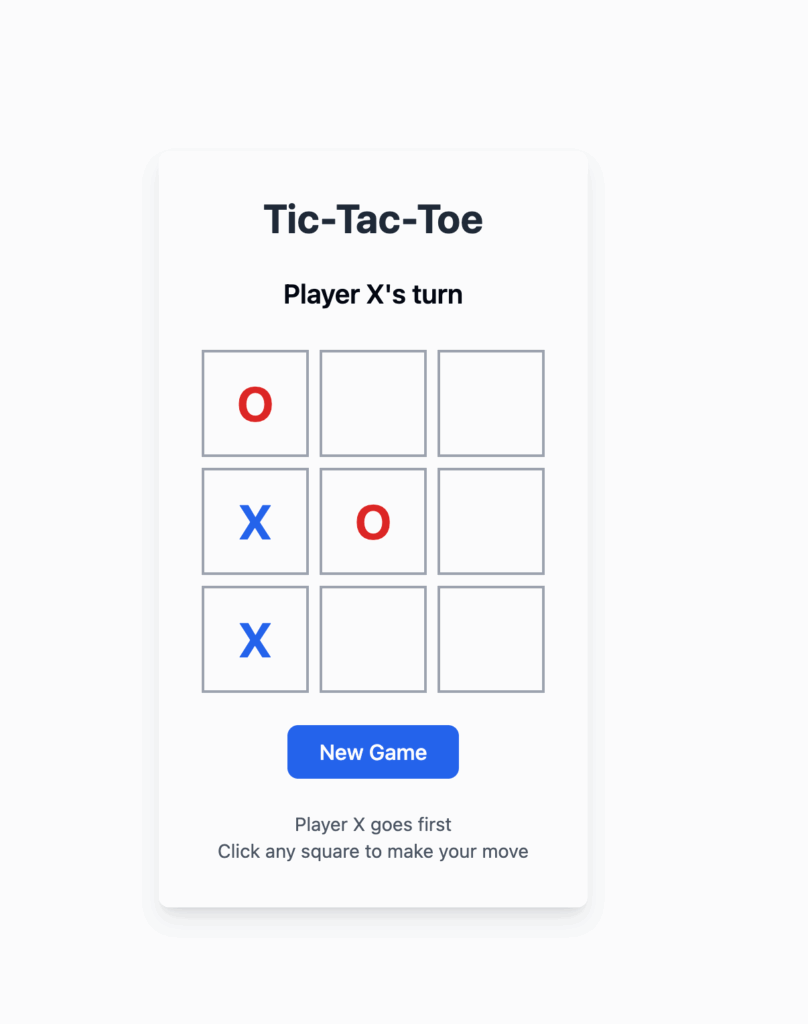
Where it started – a simple tic-tac-toe interface
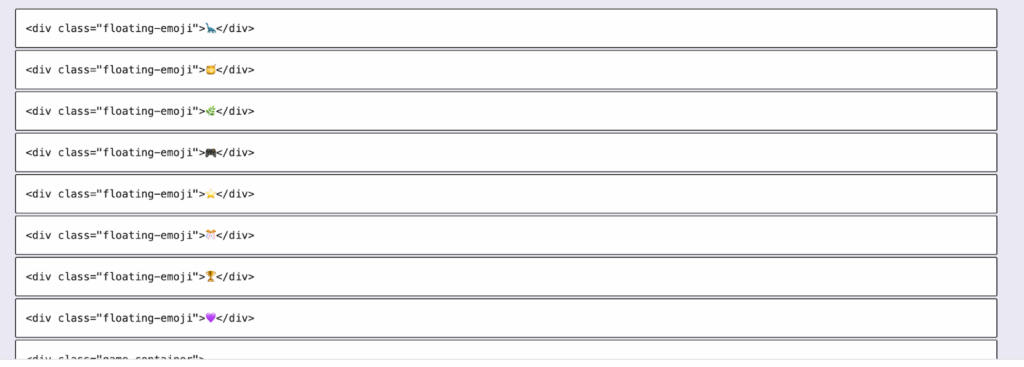
What happened when I asked Claude to simplify the code to vanilla js so that I could upload it into my website. So many Divs just because I wanted floating emojis!
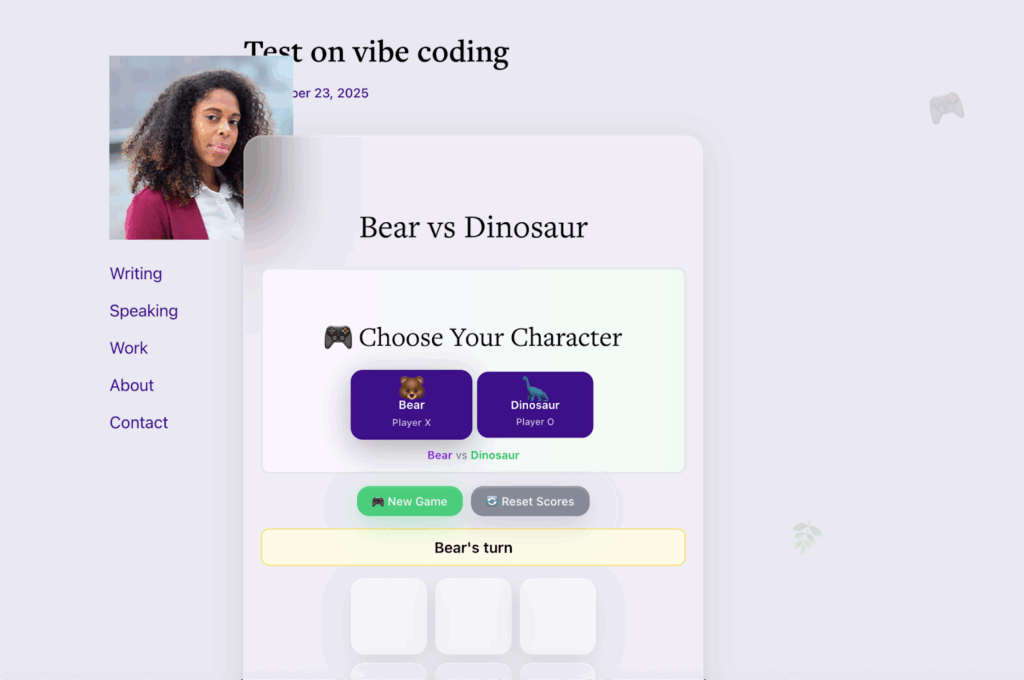
This is the post the first time I uploaded it onto the site.
It was not working and I thought ok, I will just publish it through Claude. I didn’t want to get stuck. Then I decided to phone a friend. A reminder that AI should not substitute for human connection and friendship. My friend, who is a developer, formatted and fixed it in 5 min. She critiqued my code – we had a good laugh and then caught up on life.
Keep playing and touch grass
I enjoyed the process of building this game and now plan on trying out other things I can remix. Soon enough I am sure I will build out other things with AI and that may be less fun at first. And that’s ok. Vibe coding is giving me the confidence to build with a new skill, to expand my critical thinking, expand my prompting and understanding what this tool can and can not do for the time being. It’s been a nice process to just dig into and not spend time comparing it to the work of others or doom scrolling through the article of the week.
When I feel overwhelmed again and not sure where to get started I’ll also make sure I step outside to touch some grass and come right back to it. It will be here waiting for me.
Here’s the game below – feel free to test it out, and yes there is still more to fix. Progress over perfection though.
Bear vs Dinosaur
🎮 Choose Your Character
🏆 Scoreboard
- https://arxiv.org/pdf/2506.08872 ↩︎